Integrations and data20:05
Where does PLN 14,200 on the API invoice come from
We show how to trace the source of an API bill spike in usage logs within a week, set hard limits and alerts, and cut spending by 35–60 percent without new tools.

Listen to the article summary
Synthetic voice.We share what we have tested in our own implementations: free of charge and without assuming your case is identical. At a commercial company of 70 people, the customer support team has been using an assistant since January to summarise emails and prepare offers. The March invoice from the API provider showed 14,200 PLN net instead of 2,100 PLN. The code did not change, and no one deployed new features. This spike stems from three areas visible in the usage panel: input tokens grow with conversation history, a query hitting a rate limit is retried in a loop, and a single API key serves five teams without per-project budgets.
An API invoice shows the sum of several components: input tokens (the entire sent history), output tokens (generated content), reasoning tokens, tool calling, structured output, plus images or audio if the model processes them. The mechanics of a conversation turn are straightforward: turn cost = sum of input tokens across the entire history × input rate plus generated tokens × output rate. That is why a conversation with a 20,000-token document costs pennies, while the same conversation after appending the entire thread reaches 200,000 tokens and drains the budget before the model writes its first sentence. Official OpenAI rates can be found in the pricing, while tokens and counting methods are detailed in the documentation.
What you can do this week
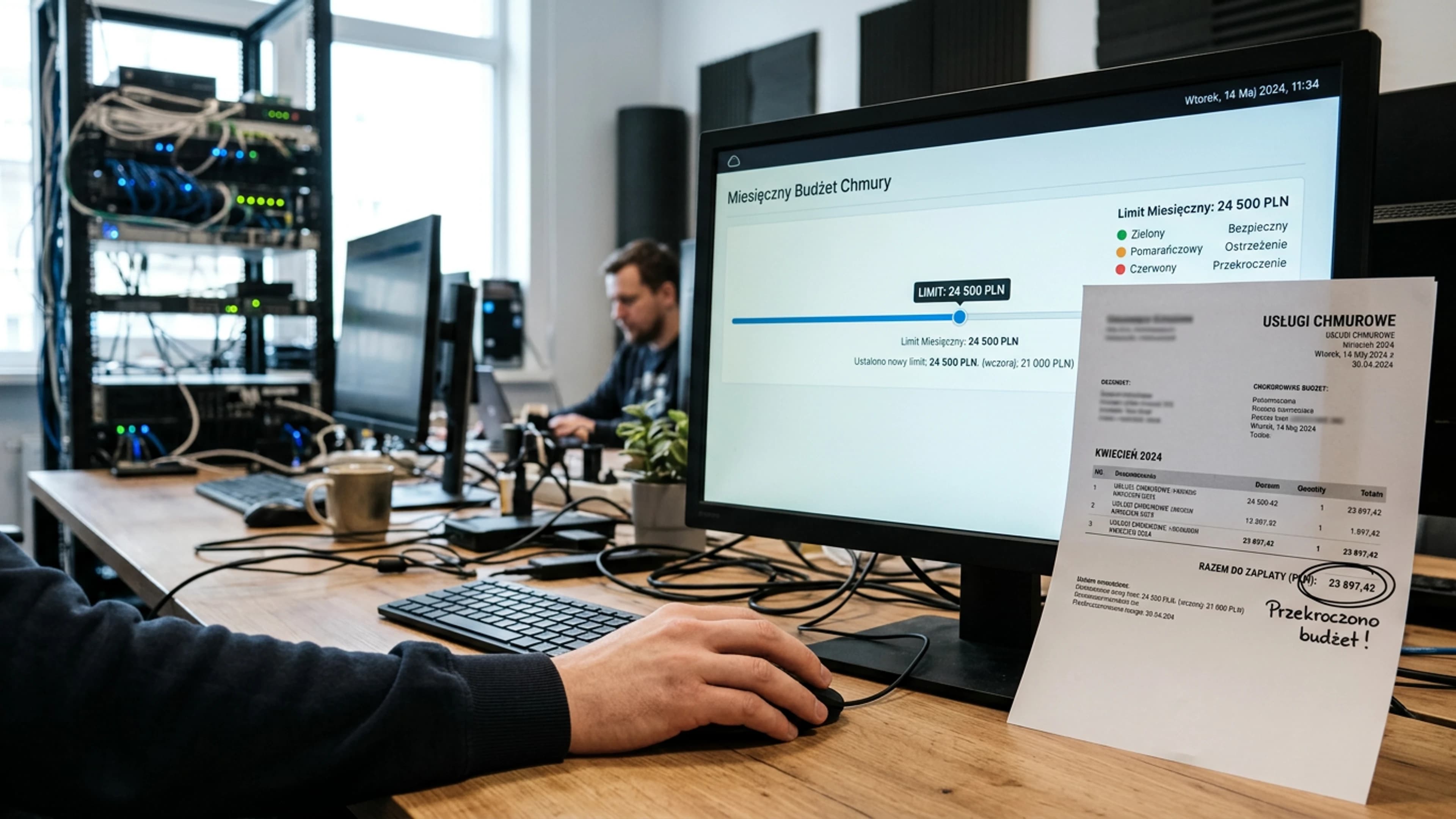
Step 1: usage report to a spreadsheet. Time: 2 hours, done by an API administrator or DevOps engineer. Export from the provider panel and filter by fields: model, api_key, project_id, cached_tokens, completion_tokens, requests. Build a pivot table to see which project and key account for 80% of the invoice. Step 2: hard limit and alerts in the console. Time: 30 minutes, done by the billing account owner. Configure a monthly budget in OpenAI, a budget in Azure Cost Management, an alert in Google Cloud Billing, and an alert in AWS Budgets. Thresholds: 50%, 80%, 100%. At 100%, the API must stop hard. Step 3: prompt caching for repetitive contexts. Time: 2–4 hours, done by an application engineer. Avoid sending the same system prompt repeatedly and configure cache TTL where supported by documentation. Estimated savings: 30–90% of input token spend. Step 4: smaller model on low-risk routes. Time: 1 day, done by the product team with a developer. Route email summarisation, categorisation, and draft proposals to GPT-4o mini, Claude Haiku, or Gemini Flash, while reserving the larger model for negotiation conversations and contract analysis. Rates for Anthropic models are available in the official pricing. Step 5: separate API keys per team. Time: 2 hours, done by the IT Manager. Issue a new key and spend limit for each team. This ensures a spike from a single retry loop does not disappear into the total bill.
What to avoid doing right away
The first instinct is to buy an AI spend monitoring platform or an LLM gateway. Deploying that typically costs 4,000–15,000 PLN and takes two weeks of integration, yet this week's issue usually comes down to a single retry loop after an HTTP 429 code. The second mistake is downgrading globally to the smallest model. For tasks in Polish, GPT-4o mini, Claude Haiku, and Gemini Flash handle categorization and summarization well, but can distort dates or amounts in proposals. The third mistake is setting a single hard limit for the entire company; at 4:40 PM on a Friday, it will block production rather than just an experiment. Instead, set limits per key, project, and team. The fourth mistake is migrating vendors or negotiating rates in the first week; without a usage report, there is nothing to discuss. The fifth mistake is skipping the Batch API and overnight processing, where rates are often 50% lower and frequently serve as the only measure keeping the budget intact.
How to verify it works after two weeks
After two weeks, calculate the spend per 1 million input and output tokens for the project that previously drove the largest invoice. In a spreadsheet, divide the fee by the total input and output tokens from the usage field. The benchmark for a smaller Polish-language model, based on the exchange rate of April 24, 2026 (1 USD = 3.78 PLN, source: NBP, net amounts), is 0.70–0.90 PLN per 1 million combined input and output tokens. If spend dropped from 2.40 PLN to 1.10 PLN after enabling caching and switching models, the savings amount to 54%. Rollback threshold: if spend per 1 million tokens has not dropped below 1.20 PLN, or if the share of requests with 429 Too Many Requests still exceeds 5% of the total, revert to the previous model and verify that the cache is actually serving hits.
If your team lacks the time for reporting and configuring limits, HEXART handles this as a focused engagement: 3–5 working days. We start by extracting usage per project and key, then configure budgets, alerts, and caching rules. You receive a control spreadsheet ready for Monday morning. Details: https://hexart.pl/uslugi.
Source materials
Sources consulted during research. The text above is our own; these third parties are not responsible for its content and have not authorised it.
- Opodatkowanie przychodów z działalności gospodarczej związanej z rozwojem modeli AI w formie ryczałtu 8,5% - Interpretacja indywidualna z dnia 29 kwietnia 2025 r., Dyrektor Krajowej Informacji Skarbowej, sygn. 0115-KDST2-2.4011.130.2025.2.AP - INFORLEX Freemium
- AI w księgowości zaczyna się od faktury